The free tide and currents app that works without signal
Tides worldwide, currents across the US and Canada. Bundled stations are ready offline for any date.
Canadian stations need an initial download. Some passes require a connection; the app tells you which.
Free. Open source. No account, no ads. Requires iOS 26 or later.
On Android? Join the testers to get early builds.
Available in 14 languages
- English
- Français
- Español
- 日本語
- Deutsch
- Português (Brasil)
- Nederlands
- Norsk bokmål
- Svenska
- Italiano
- 한국어
- Dansk
- Português (Portugal)
- Suomi
Checked against the agencies’ own predictions.
NOAA predictions use published harmonic constituents. Most Canadian stations build a model on your phone from Canadian Hydrographic Service predictions after a download; some passes fetch predictions when online. The engine is checked against the agencies’ published predictions.
- Friday Harbor high and low tides
- Within 7.9 minutes and 3.5 cm of NOAA
- Bellingham Channel maximum flood and ebb
- Within 9.7 minutes and 0.055 knots of NOAA
These July 2026 validation reports compare predictions at two stations, not measured water conditions. The current sample excludes slack timing. Read the dates, methods and limits.
Where a source is online-only or lower confidence, the app says so rather than presenting it as settled.
Scrub to the hour you care about.
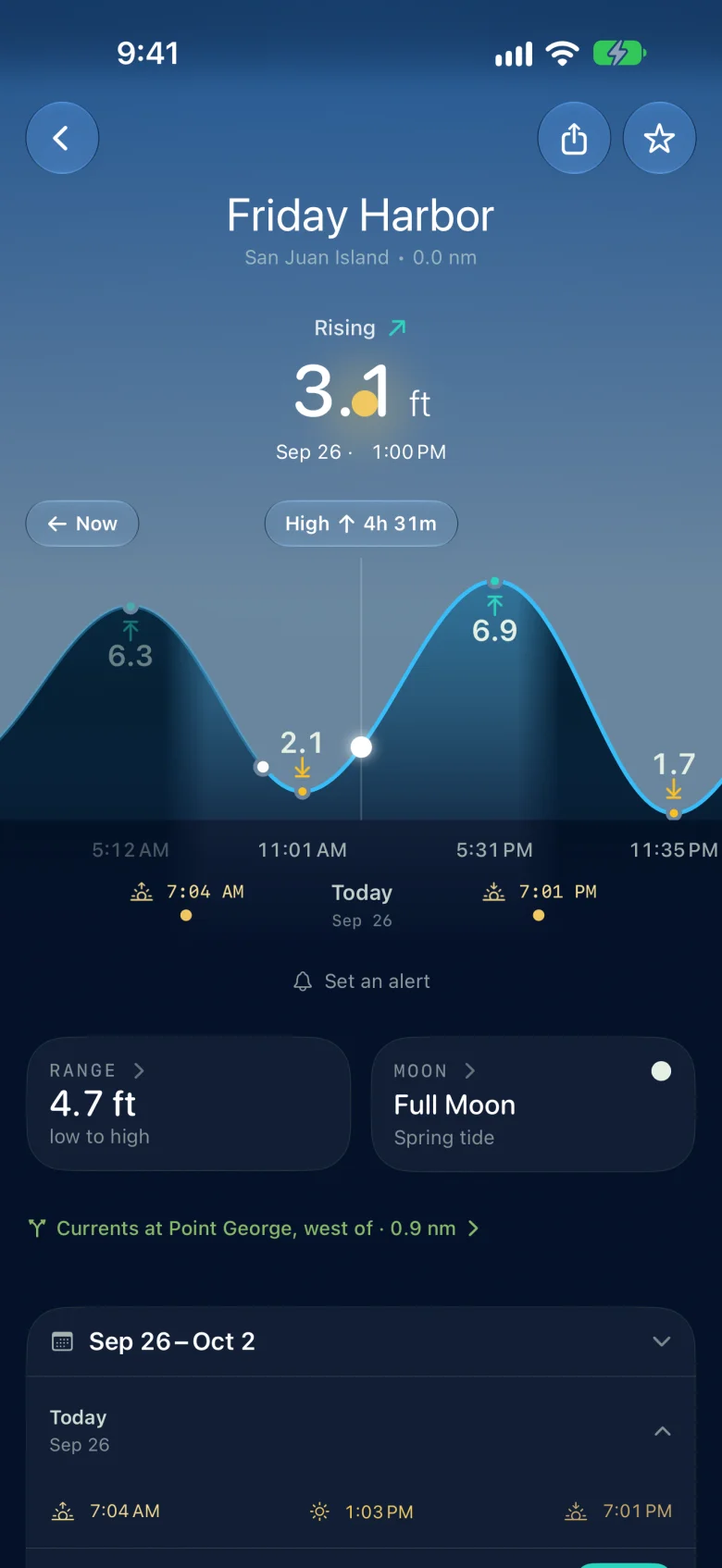
Drag the timeline and the whole screen follows it: the height at that minute, whether it is rising or falling, the range for the day, and the sky overhead.
A week of highs and lows sits underneath, so working out tomorrow’s departure does not mean doing arithmetic on a printed table.
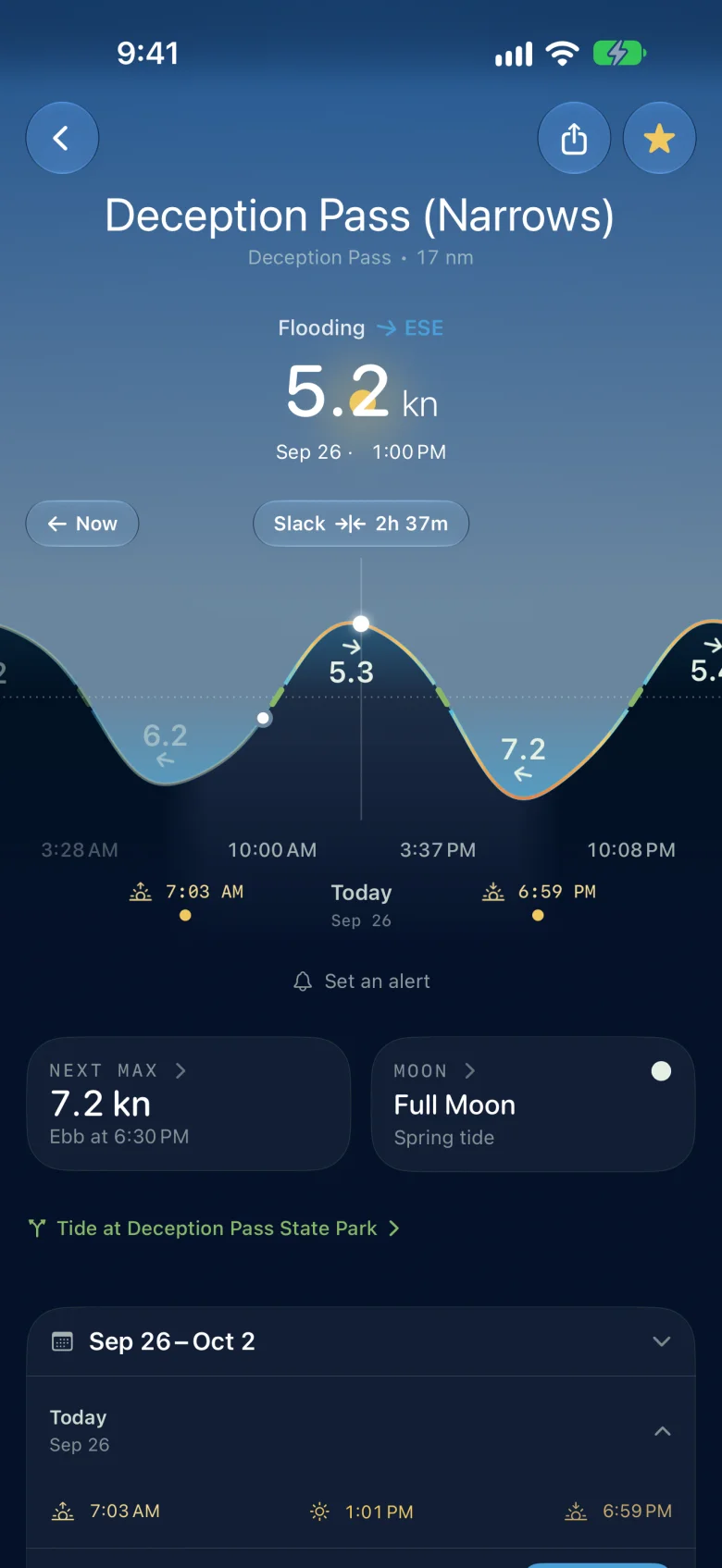
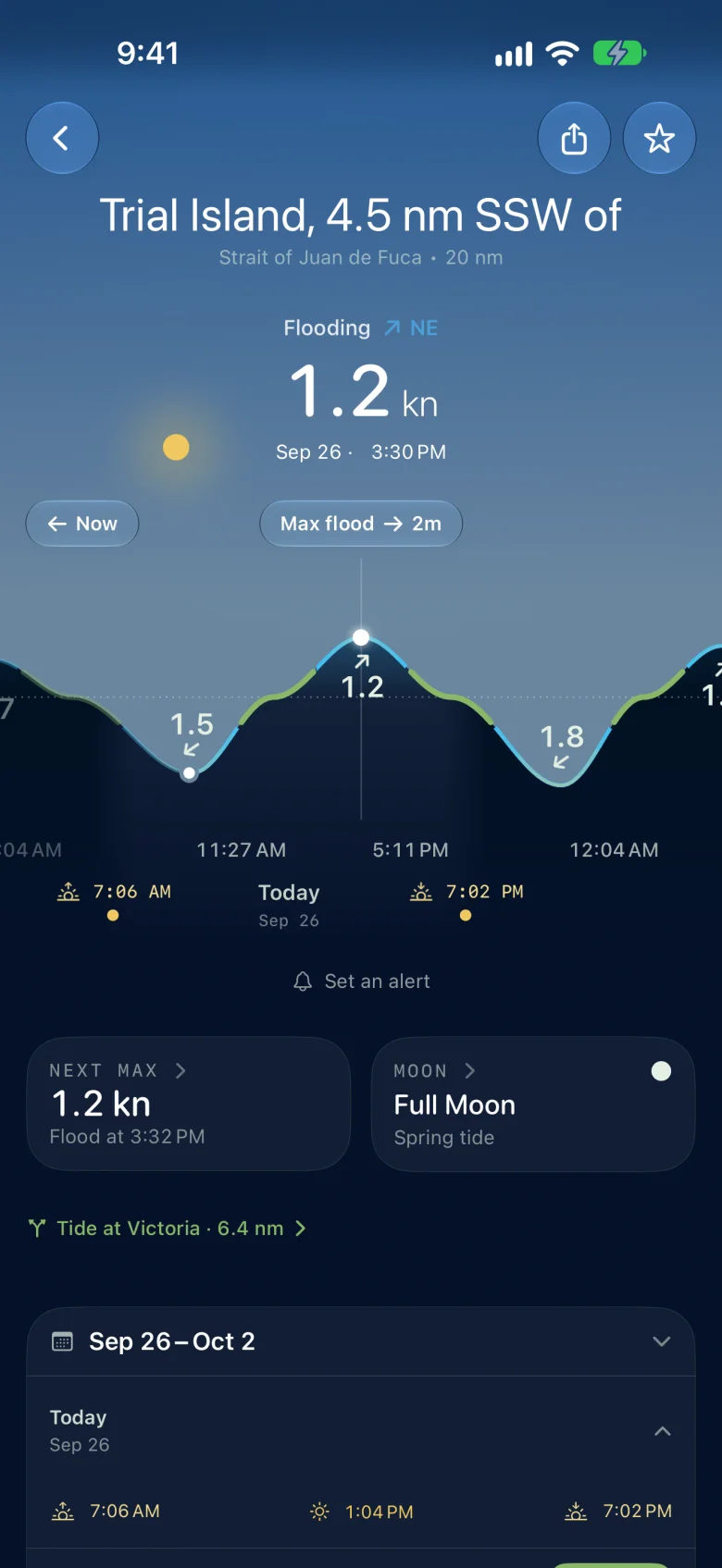
Currents too, with direction and slack.
Heights are the easy half. The harder question at a pass is the current: when it goes slack, how long it stays that way, and how hard it runs at max. Slackwater gives the speed and set right now, the time to the next slack, and a week of maxes underneath.
One afternoon on both sides of the border: Deception Pass flooding hard, and the Strait of Juan de Fuca off Victoria near its maximum flood.
On your home screen and your wrist, free.
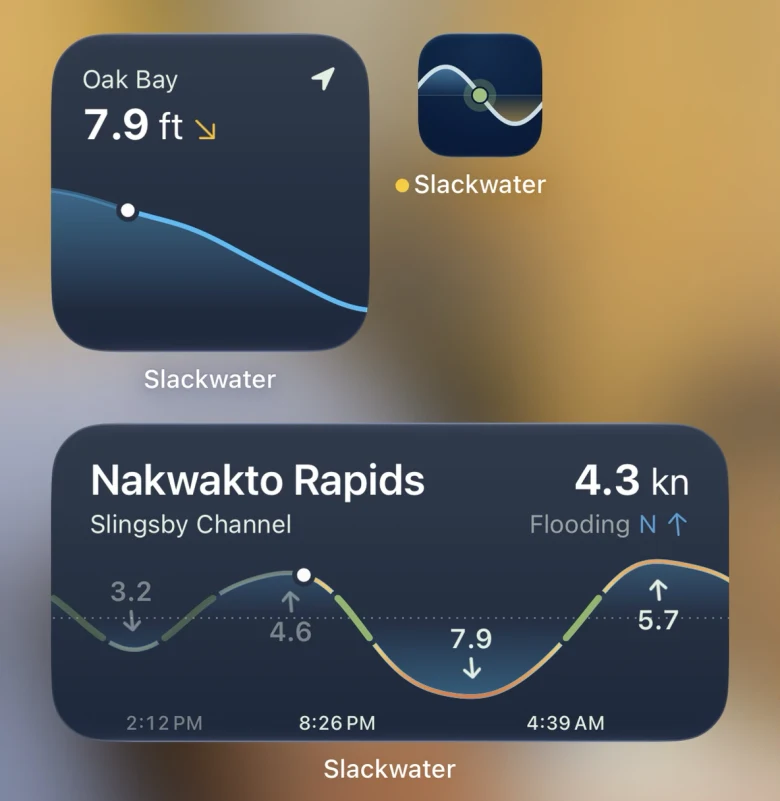
Home screen widgets show the next high, low or slack and today’s curve, for where you are or a station you pick. The Apple Watch app works without your phone: turn the Digital Crown to move through the day. Both are free.
Long-press your home screen, tap +, and search for Slackwater. Premium adds lock-screen widgets and Watch complications.
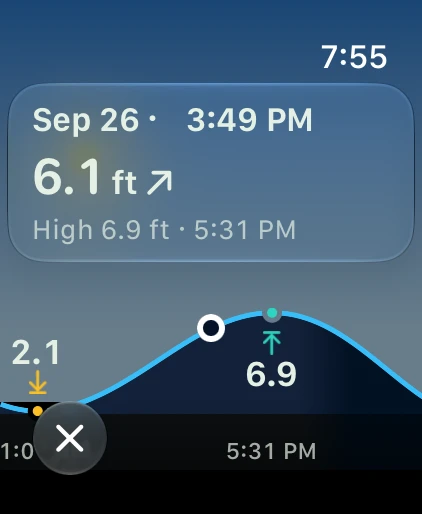
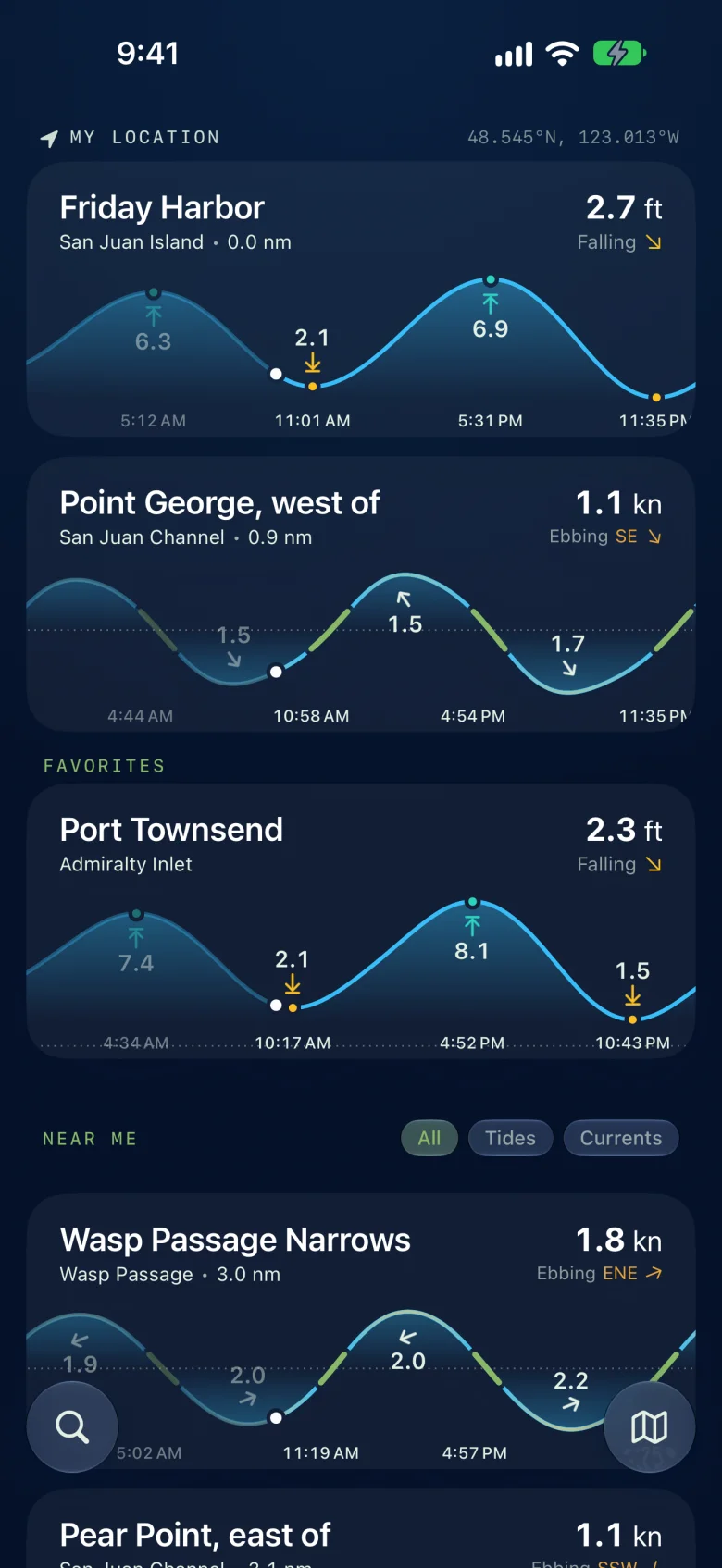
Tides and currents, nearest first.
One list holds both kinds: a harbour’s height and a pass’s speed and set, each with the next thing it does and how far away it is. No mode to switch.
Where you are sits on top, favourites under it, the rest by distance.
Bundled predictions, without a connection.
Bundled stations predict on your phone for any date, without a download or an expiring cache. Canadian stations need an initial download to build their offline model. Online-only passes need a connection and are labeled in the app.
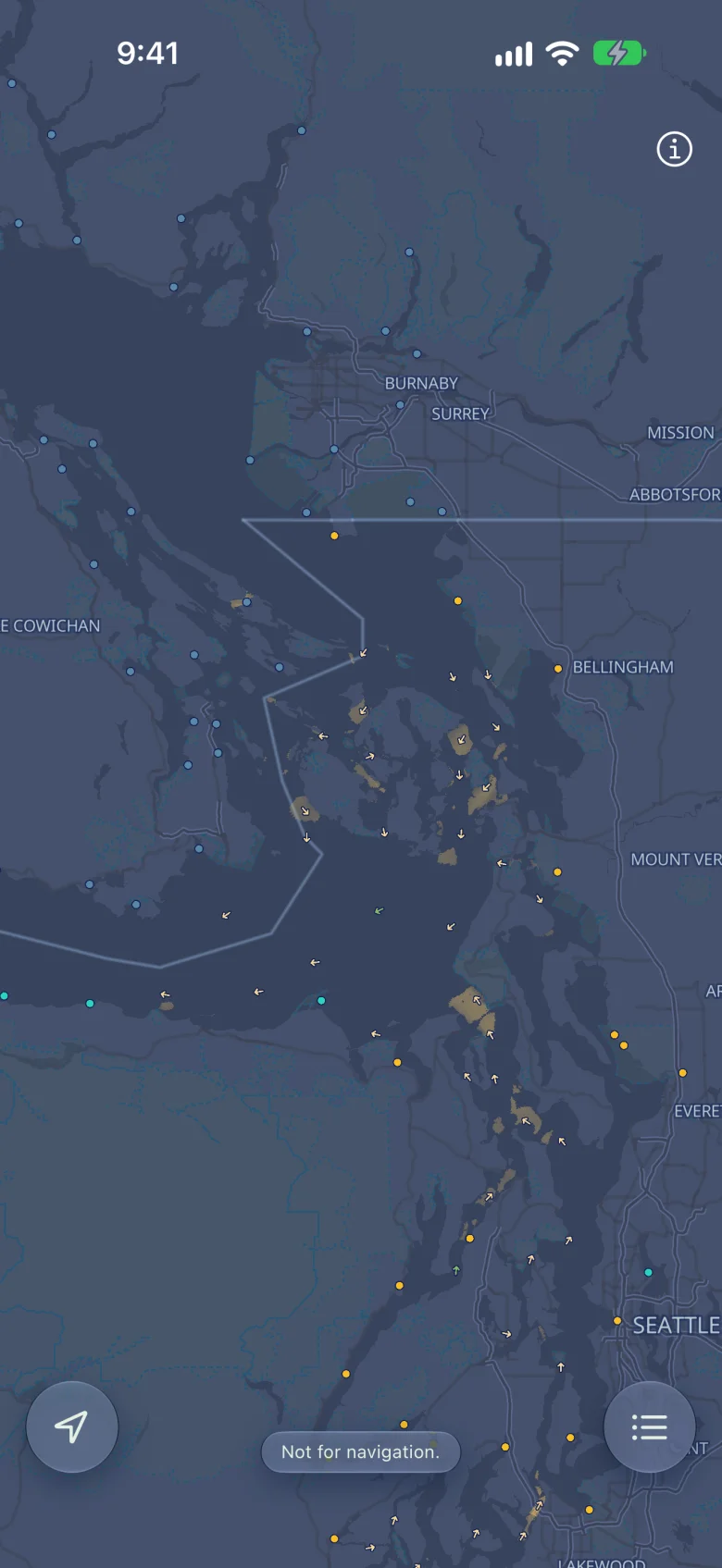
Thousands of stations ship inside the app.
Free, open source, no account, no ads.
Tide charts, current predictions and home screen widgets are free. Choose any date without a subscription. Bundled stations work offline; Canadian stations need setup, and some passes require a connection. Your location stays on your phone.
Comparing tide apps? See how Slackwater’s free charts and widgets compare with Tide Guide’s Pro features.
The app is open source under the GPL, on an open prediction engine. Built by sailors who run these passes; the app exists because we needed it.
Requires iOS 26 or later.
Questions about Slackwater.
What is Slackwater?
Slackwater is a tide and tidal currents app for planning time on the water or at its edge. Check high and low tides, current speed and direction, and slack-water times for a beach visit, fishing trip or passage.
Which devices does it support?
Slackwater runs on iPhone and iPad with iOS or iPadOS 26 or later, and Apple Watch with watchOS 26 or later. Download on the App Store.
Is there an Android version?
An Android version is in development. Join the Slackwater Android testers group with the Google account you use on your phone, and you will get test builds through Google Play as they become available.
What is free?
Tide charts, current predictions, station search, favorites and home screen widgets are free, with no account or ads. You can choose any prediction date without a subscription. The Apple Watch app is free too. Optional Premium adds alerts, station calendars, lock-screen widgets and Watch complications, with annual and lifetime purchase options. See pricing and purchase terms.
Does it work without a connection?
Bundled stations work offline from first launch. Supported Canadian stations need an initial download to build their offline model. Some Canadian passes require a connection and are labeled in the app. Set up your Canadian stations before leaving signal.
Where does Slackwater have coverage?
Tide stations are available around the world; current stations cover the US and Canada. Coverage varies by place. Browse the station directory to find your water.
Do I need to share my location?
No. Location permission helps find nearby stations, and your device’s GPS coordinates stay on your device. You can search and browse without it. The app has no Open Waters account; favorites can sync through Apple’s iCloud. The website counts visits without cookies. Read the privacy policy for details.
Where can I get help or inspect the source?
Contact support with the station name and date if a prediction looks wrong. The app’s source code is public. Predictions are not observations; weather and river flow affect conditions. Slackwater is not for navigation.
Every station has its own page, so a link you send works for someone who hasn’t installed anything: 6,761 tide stations and 2,557 current stations.